Brief Introduction
In busy hospital corridors, at patient bedsides, in pharmacy dispensing areas - are medical staff still relying on paper records, running back and forth between workstations and patients? This traditional work mode is not only inefficient but also a potential source of medical errors and occupational burnout. Today, an integrated mobile medical equipment solution is quietly changing all this. Whether called "medical tablets," "clinical mobile carts," or "hospital mobile devices," their core is the mobile medical terminal. This article will be your comprehensive guide to understanding this transformative technology. We will delve into its definition, core value, diverse application scenarios, key functions, and provide you with a detailed procurement decision framework.
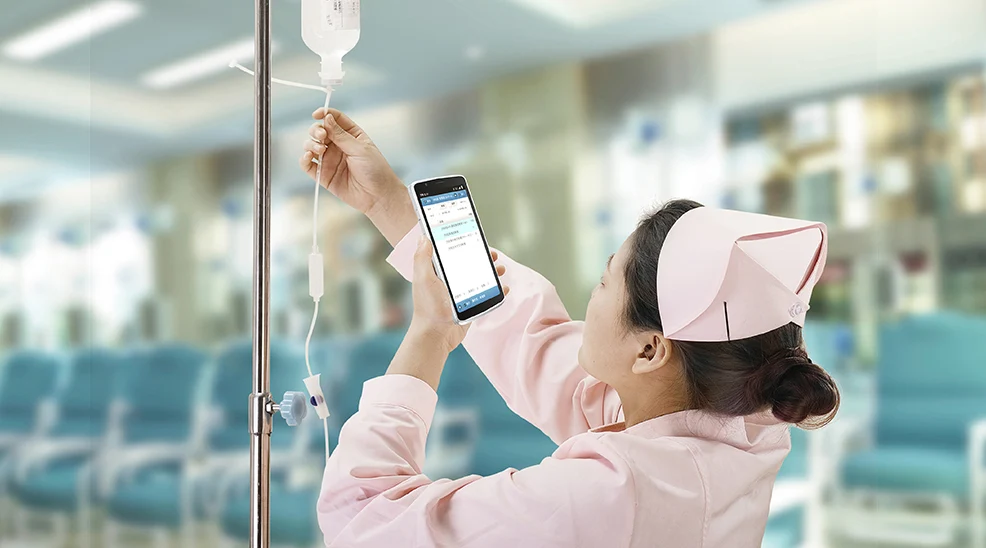
1. What is a Mobile Medical Terminal?
A mobile medical terminal is far from an ordinary consumer-grade tablet. It is a comprehensive computing and communication platform specifically designed and ruggedized for medical environments (including hospitals, clinics, nursing homes, and even on-site ambulance services). Its core goal is to "push" key information and workflows from fixed nursing stations to the patient's "point of care," achieving true "point-of-care computing."
- Difference from consumer tablets: Consumer tablets cannot withstand frequent drops, liquid spills, chemical disinfection, and extreme temperature changes in medical environments. Mobile medical terminals meet medical-grade durability standards and obtain key certifications such as antimicrobial housing and disinfectable screens.
- Difference from laptops: They are more portable, easier to operate in handheld and mobile scenarios, and integrate numerous medical-specific accessories such as barcode/RFID scanners, smart card readers, medical-grade cameras, and fingerprint recognition modules.
Simply put, the mobile medical terminal is an intelligent hub connecting medical staff, patient information, medical equipment, and hospital information systems.
2. Core Value of Mobile Medical Terminals: Why Are They Essential for Modern Healthcare?
Investing in clinical mobile solutions is not simply purchasing hardware, but a strategic investment in workflow optimization, patient safety, and medical efficiency. Their core advantages include:
- Improved Efficiency and Productivity: Medical staff can record vital signs and medication administration in real-time at the bedside, reducing time spent moving between workstations, saving several hours each day.
- Reduced Medical Errors and Enhanced Patient Safety: Through bedside barcode/RFID scanning, perform the "five rights" verification of patient identity, medication, and specimens, ensuring "the right patient, right drug, right dose, right time, and right route."
- Enhanced Patient Experience and Communication: During ward rounds, doctors can directly access imaging reports on the terminal and show disease progress to patients, improving interaction and transparency in doctor-patient communication.
- Real-time Data and Decision Support: Clinical data synchronizes in real-time to electronic medical records, allowing managers to access dynamic dashboards for resource allocation and quality monitoring.
- Support for Remote Collaboration and Consultation: High-definition cameras and stable networks support remote expert consultations, particularly beneficial for resource allocation and hierarchical medical care.
3. Application Scenarios: Where Do Mobile Medical Terminals Play a Role?
The application scenarios of medical tablets far exceed imagination, covering almost all clinical and non-clinical aspects:
- Nursing Workstation Mobility: Nurses use handheld devices for bedside assessment, medication recording, and specimen collection confirmation.
- Mobile Doctor Workstation: Doctors use medical carts or handheld terminals for ward rounds, prescription ordering, and viewing test results.
- Pharmacy and Inventory Management: Pharmacists conduct drug inventory counting and smart cabinet access; warehouse managers perform scanning and tracing of medical devices and high-value consumables.
- Operating Room and Anesthesia Management: Verify surgical patients and instruments, and record anesthesia data in real-time.
- Emergency and Pre-hospital Care: Quickly retrieve patients' medical history on-site or in ambulances, and transmit vital sign data to the hospital in advance.
- Home Care and Community Healthcare: Facilitate data collection and recording when medical staff conduct home visits.
4. Key Features and Functions: What to Focus on When Selecting?
When selecting a qualified hospital mobile device, the following characteristics should be strictly evaluated:
4.1 Ruggedness
- Drop Resistance: Typically requires passing MIL-STD-810G military standard tests, remaining operational after falling from 1.2-1.8 meters onto concrete.
- Water and Dust Protection: At least IP54 (splash-proof) rating, ideally IP65 (dust-tight and resistant to low-pressure water jets) for easy cleaning and disinfection.
- Chemical Resistance: Housing resistant to repeated wiping with common disinfectants like alcohol and hydrogen peroxide.
4.2 Excellent Battery and Manageability
- Hot-swappable Batteries: Support battery replacement without powering off, ensuring 24/7 uninterrupted operation, crucial for nursing work.
- Centralized Device Management (MDM): IT department can remotely monitor device status, deploy applications in batches, lock functions, and achieve asset tracking.
4.3 Professional Display and Input
- High-Brightness Readable Screen: Clear visibility even in strong light (e.g., near windows).
- Glove/Wet Hand Touch: Capacitive screens need to support this function for convenient operation in different work states.
- Physical Scan Buttons: Integrated hardware scan keys improve scanning efficiency and tactile feedback.
4.4 Powerful Connectivity and Expansion Capabilities
- Multi-mode Wireless: Stable support for Wi-Fi 6/6E, Bluetooth 5.0+, with optional 4G/5G modules for full-area coverage.
- Rich Interfaces: Equipped with USB, Ethernet, HDMI, etc., for connecting various medical peripherals.
- Dedicated Accessory Interfaces: Support backclip-style scan engines, magnetic stripe readers, and other professional accessories.
4.5 Security and Compliance
- Enterprise-grade Security: Supports TPM security chips, fingerprint recognition, smart card login to ensure patient data security.
- Medical Certifications: Obtaining medical device registrations or approvals like FDA 510(k), CE, and compliance with medical electrical safety standards like IEC 60601-1 are significant advantages.
5. Selecting the Right Clinical Mobile Solution: A Practical Framework
Faced with a wide array of medical tablets on the market, how to decide? Please follow these steps:
5.1 Needs Assessment
- Core Scenarios: Where will it be primarily used? (Wards, pharmacy, outdoors?)
- Usage Patterns: Mainly handheld, or need to be paired with a mobile workstation cart?
- Key Applications: What software will run? (EMR, inventory management apps, etc.)
- Disinfection Protocols: What frequency and method of disinfection is required?
5.2 Operating System Selection
- Android: Flexible ecosystem, rich applications, usually cost-advantageous, friendly to customization.
- Windows: Excellent compatibility with traditional desktop medical software, more suitable for running full desktop EMR clients.
- iOS: Advantages in specific professional apps (e.g., image viewing), but limited device choices and ruggedization solutions.
5.3 Performance and Accessories
Select sufficient RAM and storage based on application requirements.
Identify essential accessories: What grade of scanning engine is needed (1D/2D/imager)? Is NFC needed for device pairing? Is a medical-grade camera needed?
5.4 Budget and TCO (Total Cost of Ownership)
Consider not only the device purchase price but also long-term costs including protective cases, accessories, extended warranty, MDM software licenses, and battery replacement. A durable, easy-to-manage device may have a much lower TCO than frequently replaced consumer tablets.
5.5 Supplier Evaluation
Choose suppliers with rich experience and success cases in the healthcare industry.
Evaluate their technical support, repair response time, spare parts supply capability, and the professionalism of their MDM solutions.
6. Success Case Analysis: Theory and Practice
Case 1: Application of RFID Readers in Fixed Asset Management at Peking University Shenzhen Hospital
Peking University Shenzhen Hospital deployed RFID reader technology to establish a full lifecycle management process for fixed assets, addressing pain points of information silos and inefficient manual operations. This achieved real-time asset data tracking, multi-department collaboration optimization, and significantly improved asset utilization efficiency and management standardization.
Case 2: RFID Technology Improves Medical Device Tracking Efficiency at Zhongda Hospital Sterilization Center
Zhongda Hospital Sterilization Center introduced RFID technology and handheld terminals to build a full-process traceability system for medical devices. This addressed pain points such as unclear cleaning responsibilities and inefficient manual verification, achieving closed-loop visual management from recovery to use and accurate performance evaluation, comprehensively optimizing sterilization quality and supply chain efficiency.
Case 3: Application of Surgical Anesthesia Tablets Optimizes Preoperative Assessment at Jiangsu Provincial People's Hospital
Jiangsu Provincial People's Hospital deployed AUTOID Pad Air-HC tablet terminals to achieve mobile assessment and nursing for surgical anesthesia procedures. This addressed pain points such as difficult medical history integration, recording errors, and insufficient patient communication, significantly improving preoperative assessment efficiency, nursing quality standardization, and patient satisfaction, promoting the digital upgrade of surgical nursing.
Mobile medical terminals have transformed from "nice-to-have" technological toys to essential "infrastructure" for modern smart hospitals and efficient clinics. Through fundamental reshaping of workflows, they play an irreplaceable role in improving medical quality, ensuring patient safety, optimizing resource utilization, and enhancing the medical staff experience.
Before investing, always return to the essence: clearly identify the pain points in your clinical workflows, and based on this core, select the medical mobile device that best solves these pain points, is rugged and durable, easy to manage, and offers good long-term return on investment. A careful evaluation and choice will bring your institution years of sustained efficiency and quality returns.
- Demystifying Manual Traceability Pains: How CRUISE2 5G Enables Barcode-Based Bidirectional Traceability2026-04-03
- Demystifying Slow Backroom Transfers: How UTouch 2-S Enables Second-Level Inventory Navigation2026-04-03
- Demystifying Quality Control Bottlenecks: How RFID Moves Towards Proactive Prevention2026-04-02
- How Handheld Computers Achieve End-to-End Traceability2026-04-02
- Demystifying Workstation Information Bottlenecks: How CRUISE2 5G Enables Paperless, Real-Time Operations2026-04-01