Brief Introduction
Imagine: A production line suddenly stops due to a lack of a critical component; a hospital operating room is in chaos searching for specific supplies; supermarket shelves are empty during peak sales hours. Behind these scenarios often lies a common operational pain point: inefficient, lagging, and error-prone traditional inventory replenishment processes.
For factory managers, warehouse supervisors, retail operators, and even medical staff, inventory replenishment is far more than simply "replenishing what is missing." It concerns production continuity, customer satisfaction, cash flow, and overall operating costs. Traditional methods relying on paper documents, manual memory, or lagging PC data entry can no longer meet the stringent demands for speed and accuracy in modern business.
Today, we will delve deep into a technological tool that has fundamentally transformed this core process: the Handheld Computer (often called a handheld terminal or PDA). This article will not only explain its value but also guide you step-by-step on how to use it to build a robust real-time inventory supply system, sharing key insights into device selection and implementation.
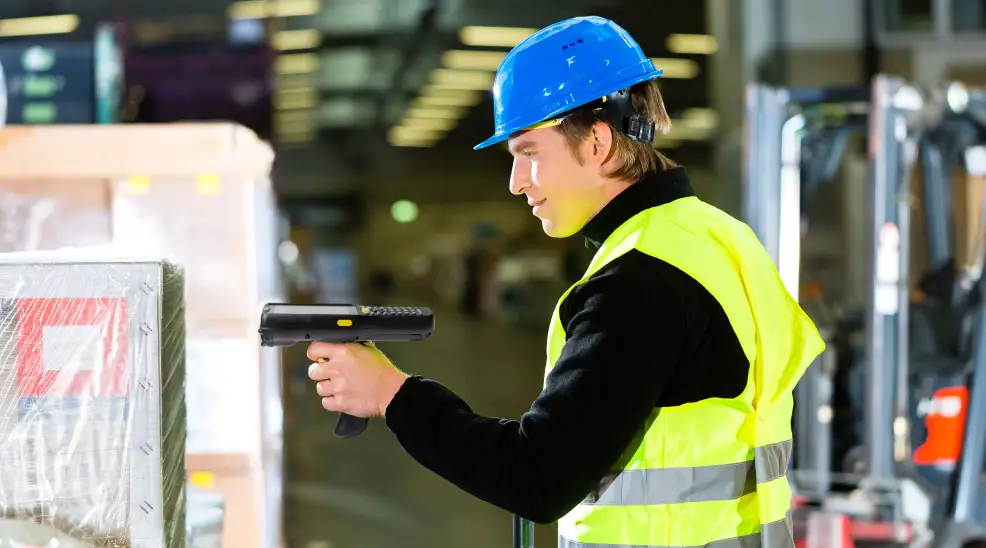
1. Value Proposition: Why Handheld Computers are a "Game Changer" for Inventory Supplies?
Before diving into the "how," we must understand the "why." The value brought by handheld computers to inventory replenishment is fundamental, primarily addressing three core pain points:
Eliminates Data Delay, Enables Real-Time Visibility: Traditionally, shelf counting data requires a long chain of "recording - returning to the office - entering into the system," causing delays of hours or even days. Handheld computers synchronize data to the central inventory management system instantly upon scanning via mobile data networks (4G/5G) or Wi-Fi. Managers can view inventory levels in real time and make immediate replenishment decisions.
Reduces Human Error to Near Zero: Manual recording and entry are primary sources of errors. Handheld computers, combined with barcode/QR code scanning, automatically identify items, ensuring "what you scan is what you get," with accuracy exceeding 99.9%. This directly avoids losses and production stoppages caused by replenishment errors.
Significantly Improves Field Operation Efficiency and Employee Experience: Operators no longer need to travel back and forth between shelves and computers, or decipher messy handwriting. Handheld computers can indicate the next storage location needing replenishment on the screen, optimizing the travel path. Their rugged design also adapts to complex environments like warehouses and workshops, making work easier.
2. Core Workflow Analysis: How Handheld Computers Optimize Inventory Replenishment Step-by-Step
Let's take a typical "inspection-triggered replenishment" process as an example to see how handheld computers integrate into and optimize each step.
Step 1: Task Creation and Dispatch
The central management system (e.g., WMS, ERP) automatically generates a replenishment task list based on safety stock levels, sales forecasts, or production plans. This list is pushed in real time via wireless network to the relevant operator's handheld computer.
Step 2: On-site Inventory Counting (Data Collection)
The operator goes to the target area (e.g., line-side storage, retail shelves, hospital storeroom) with the handheld computer.
Scans the storage location barcode: Confirms the location.
Scans item barcodes one by one: The handheld computer automatically displays the standard stock quantity, current actual quantity, and calculates the replenishment need.
The operator can also manually enter information about damaged or near-expiry items.
Real-time upload: Data is synchronized back to the system immediately after counting each location, updating inventory data in real time.
Step 3: Intelligent Replenishment Guidance and Execution
The handheld computer is not just a data collector, but also an intelligent navigator.
Guides picking: For tasks requiring retrieval from the central warehouse, the handheld can display the optimal path and location of goods to be picked.
Confirms replenishment: After delivering goods to the target location, scan the item and location barcodes again, and confirm the replenished quantity on the handheld. The system automatically updates the inventory for that location.
Step 4: Data Closed-Loop and Decision Support
All replenishment actions form a complete data record chain: who, when, where, what was replenished, and how much. This data provides strong support for management decisions:
Optimize safety stock levels: Dynamically adjust based on actual consumption frequency and replenishment cycle data.
Supplier performance analysis: Track the on-time delivery rate and quality of different materials.
Employee efficiency analysis: Optimize task allocation and processes.
3. Key Features for Device Selection: Choosing the "Perfect Partner" for Your Inventory Supplies
Not all handheld computers are suitable for high-intensity inventory replenishment environments. When selecting, be sure to focus on the following core characteristics:
3.1 Excellent Scanning Performance
Scanning engine: Choose a high-precision, fast barcode scanning engine. Excellent depth of field and decoding capability are needed for dense or damaged barcodes.
Scanning methods: Support various methods like button trigger and screen touch, adapting to different operating habits. A continuous scanning mode greatly improves batch counting efficiency.
3.2 Ruggedness and Ergonomic Design
Protection rating: At least IP65/IP67, dustproof and waterproof, adapting to humid or dusty environments. MIL-STD-810H certification ensures it can withstand multiple drops from operating height.
Grip: The device should be ergonomic, comfortable for prolonged use without fatigue. Non-slip design allows stable operation even with gloves.
3.3 Powerful Computing and Connectivity
Processor and memory: Sufficient to smoothly run professional inventory management apps and process data quickly.
Connectivity: Standard Wi-Fi 6, Bluetooth 5.0+, and strong recommendation for 4G/5G support, ensuring real-time networking anywhere in the warehouse.
Battery life: Large capacity battery supporting hot-swapping or fast charging, ensuring all-day operation without interruption.
3.4 Compatible OS and Development Support
Operating system: Android is mainstream due to its openness and rich app ecosystem, facilitating custom development of dedicated inventory management apps.
Enterprise management: Devices should support MDM (Mobile Device Management) for remote batch configuration, monitoring, and updates by IT.
4. Common Implementation Challenges and Success Strategies
Introducing new tools always comes with challenges. Foreseeing and avoiding them is key to success.
Challenge 1: Employee Resistance and Training Costs
Strategy: Choose devices and apps with intuitive interfaces and simple operation logic. Provide ample, scenario-based hands-on training, emphasizing how the new tool makes their daily work easier and more accurate. Set a transition period for employees to adapt gradually.
Challenge 2: System Integration Complexity
Strategy: When selecting a handheld computer solution, prioritize suppliers offering mature API interfaces and technical support. Ensure seamless integration with existing ERP, WMS, etc., for bidirectional real-time data flow.
Challenge 3: Concerns about Initial Return on Investment (ROI)
Strategy: Use data. In pilot projects, clearly record and compare changes in counting time, error rate, stockout frequency, and personnel efficiency before and after introducing handheld computers. Often, the cost avoided from a single production line stoppage is enough to cover the device investment.
5. Case Study: Application Practice of SEUIC AUTOID Q7-(Grip) in Inventory Replenishment Scenarios
To make the theory concrete, let's take a device highly regarded in industrial and commercial fields—the SEUIC AUTOID Q7-(Grip) handheld mobile scanner—as an example to see how it meets these stringent requirements.
- Born for High-Intensity Environments: The AUTOID Q7 has an IP67 protection rating and 1.5-meter drop resistance. Its unique "Grip" handle design provides excellent feel and stability for long-duration, high-frequency scanning operations, perfectly meeting the needs of warehouse and workshop replenishment.
- Ultimate Scanning Efficiency: It is equipped with a top-tier SE4710 series scan engine, capable of quickly and accurately identifying barcodes—whether distant, dense, damaged, or soiled. Its physically optimized scan button and intelligent scanning algorithm make replenishment and counting workflows smooth.
- Guarantee of Real-Time Connection: Supports 4G and dual-band Wi-Fi, ensuring stable connection with backend systems even in complex steel-shelf warehouses or vast logistics parks, achieving zero-delay synchronization of replenishment data.
- Open Enterprise Platform: Based on the native Android OS, enterprises can easily develop
and deploy customized inventory replenishment applications. Combined with its powerful data capture capabilities, it can extend beyond routine replenishment to complex scenarios like batch tracing, expiry management, and asset inventory.
Through this case study, we can see that a professional handheld computer is itself a systematic engineering achievement designed to optimize core processes like "inventory supplies."
Inventory replenishment, once a hidden "cost center" full of uncertainty, can now be transformed into a transparent, reliable, and efficient "efficiency engine" leveraging the power of handheld computers.
For those in manufacturing, logistics, retail, or healthcare, investing in a professional handheld computer solution for inventory supplies yields returns far beyond error reduction and time savings. It is the cornerstone for building an enterprise's real-time supply chain perception capability, data-driven decision-making culture, and operational resilience.
- Demystifying Manual Traceability Pains: How CRUISE2 5G Enables Barcode-Based Bidirectional Traceability2026-04-03
- Demystifying Slow Backroom Transfers: How UTouch 2-S Enables Second-Level Inventory Navigation2026-04-03
- Demystifying Quality Control Bottlenecks: How RFID Moves Towards Proactive Prevention2026-04-02
- How Handheld Computers Achieve End-to-End Traceability2026-04-02
- Demystifying Workstation Information Bottlenecks: How CRUISE2 5G Enables Paperless, Real-Time Operations2026-04-01