Brief Introduction
Imagine this: Your warehouse manager struggles to count goods against paper documents, with frequent errors and data delays; your field inspector records data onsite but only enters it into the system back at the office in the evening, by which time the information is already "cold"; a busy pharmacist verifies medications and patient information by eye alone, hiding potential risks.
In today's operational environment that demands real-time, accurate, and efficient performance, ordinary consumer-grade smartphones often fall short. They are prone to damage, have short battery life, weak data capture capabilities, and lack the inherent "DNA" for seamless integration with professional enterprise systems.
This is precisely where professional handheld computers come into play. They are not mere "relatives" of phones but are powerful productivity tools tailor-made for specific commercial and industrial scenarios. This article will systematically break down handheld computer capabilities and demonstrate how these capabilities translate into value for your industry, aiding you in making informed investment decisions.
1. Beyond Smartphones: What is a Professional Handheld Computer?
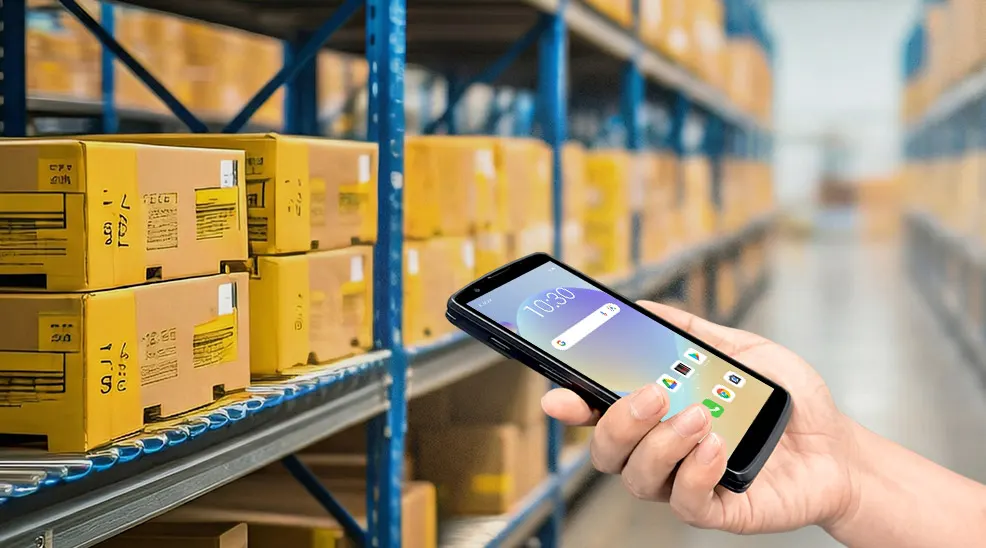
First, we must clarify a concept: a professional handheld computer is not just a large phone. It is an integrated, ruggedized, dedicated mobile computing device, whose core design purpose is to reliably and efficiently complete specific business tasks in harsh or high-frequency field environments.
Its main characteristics include:
Industrial-Grade Durability: Capable of withstanding multiple drops (typically from 1.5 meters or higher onto concrete), dust and water resistance (IP65/IP67 rating), and tolerance to extreme temperatures and liquid splashes.
Dedicated Operating System: Typically runs Android, Windows IoT, or customized systems, offering more stable performance and better support for enterprise-grade security policies.
Business-Oriented Hardware Integration: Built-in or expandable professional modules, such as high-performance scanning engines, RFID readers, high-capacity batteries, etc.
Built for Enterprise Deployment: Supports centralized device management (MDM), remote configuration, batch application deployment, and efficient technical support.
Simply put, a smartphone is a "versatile but fragile personal entertainment and communication center," whereas a professional handheld computer is a "specialized and rugged mobile business processing terminal."
2. Detailed Explanation of Five Core Capabilities: The Foundation of Your Mobile Operations
The value of a professional handheld computer is defined by its core capabilities. These capabilities together form its irreplaceable business advantages.
2.1 Excellent Data Capture Capability
This is the most core and valuable capability of a handheld computer. It fundamentally changes the way data is entered.
1D/2D Barcode Scanning: Integrates high-performance 2D imager scanning engines that can quickly and accurately read various barcodes (including poorly printed, soiled, or on-screen barcodes). This is the foundation for warehousing, retail, and logistics.
Business Value: Enables high-speed and accurate receiving, picking, inventory counting, and shipping, with an error rate approaching zero.
RFID Reading/Writing: Integrates UHF RFID modules, allowing batch reading of tag information from several meters away without line-of-sight.
Business Value: Enables second-level batch inventory counting (e.g., full cartons, garments), asset tracking, intelligent access control management, improving efficiency by tens of times.
Image and Video Capture: Equipped with high-definition cameras for photographic evidence, recording cargo damage, OCR character recognition, or facial recognition.
Business Value: Provides visual evidence for on-site inspections, quality audits, document archiving, and supports more complex authentication scenarios.
2.2 Powerful Mobile Computing and Information Processing Capability
A handheld computer is a true mobile computer, equipped with multi-core processors, sufficient memory, and storage space.
Runs Professional Applications Locally: Can directly run complex warehouse management system clients, field service apps, healthcare nursing systems, etc., for data processing and logical decision-making.
Offline Operation Capability: In areas with poor or no network signal (e.g., cold storage, underground garages, remote sites), the device can cache data, continue working, and automatically sync once the network is restored.
Business Value: Ensures business continuity, unrestricted by network environment, and supports complex field business logic.
2.3 Real-Time Data Communication and Location Services
Ensures information synchronization between the field and backend systems.
Multi-mode Wireless Connectivity: Supports high-speed Wi-Fi, 4G/5G cellular networks, and Bluetooth, ensuring connectivity in various environments.
Real-Time Data Transmission: Data scanned or entered can be synchronized instantly with backend management systems like ERP, WMS, MES, enabling real-time inventory updates and immediate order status visibility.
Accurate Indoor/Outdoor Positioning: Integrates GPS, GLONASS, and indoor positioning technologies (e.g., Wi-Fi RTT, Bluetooth Beacon), enabling precise location tracking of assets, personnel, or goods within a warehouse or hospital.
Business Value: Enables end-to-end visual tracking, optimizes route planning, and allows quick response to field demands.
2.4 Industrial-Grade Ruggedness and Long Battery Life
Designed for high-intensity and harsh environments.
Physical Ruggedness: Certified to military standard MIL-STD-810H, resistant to drops, shocks, and tumbles.
Environmental Endurance: IP rating ensures operation in dusty, rainy environments (e.g., docks, workshops); wide-temperature design adapts to cold storage or outdoor extreme heat and cold.
Long Battery Life and Hot-Swapping: Equipped with high-capacity batteries supporting all-day work. Some models support hot-swappable batteries, allowing replacement without shutting down, enabling 24/7 continuous operation.
Business Value: Significantly reduces device failure rates and maintenance costs, ensures continuity of critical business operations, and improves total cost of ownership (TCO).
2.5 Flexible Professional Expansion and Ergonomic Design
Extends functionality for different industry needs.
Expansion Interfaces: Connect peripherals via USB, serial ports, or docking stations, such as portable printers, payment card readers, measurement probes, etc.
Interchangeable Keyboards: For scenarios requiring heavy text input (e.g., courier waybill entry), physical keyboards can be equipped to improve efficiency.
Ergonomics and Operability: Designed for prolonged holding, with logically placed scanning buttons, supporting sensitive touch operation even with gloves or wet hands.
Business Value: Multi-purpose device adaptable to diverse professional scenarios, improving employee comfort and operational efficiency.
3. How Capabilities Translate into Industry Value? (Scenario Overview)
Theoretical capabilities only unleash value when applied to specific scenarios. Let's see how these handheld computer capabilities address pain points across various industries:
3.1 Warehousing, Logistics, and Manufacturing
Scenarios: Receiving/putaway, order picking, cycle counting, shipping verification.
Capability Application: High-speed scanning + real-time WMS sync + indoor positioning. Pickers follow device guidance to optimal locations, scan to confirm, achieving over 99.99% picking accuracy and 30%-50% efficiency gain.
3.2 Retail and Store Management
Scenarios: Price checks, stock lookup, mobile POS, store audits.
Capability Application: Mobile computing + data communication. Staff can check inventory, adjust prices in real-time, and even process mobile payments for queuing customers directly in the aisle, enhancing customer experience.
3.3 Healthcare
Scenarios: Patient ID and medication verification, specimen collection management, asset tracking, mobile nursing.
Capability Application: Barcode/RFID scanning + strict security. Nurses scan patient wristbands and medication barcodes at bedside; the system automatically performs verifications, preventing medication errors.
3.4 Field Service and Utilities
Scenarios: Meter reading, equipment inspection, work order processing, on-site evidence collection.
Capability Application: Ruggedness + GPS positioning + image capture. Inspectors record readings, photograph equipment status, and upload work orders in real-time outdoors; management can remotely monitor progress and quality.
3.5 Government and Law Enforcement
Scenarios: License plate recognition, ID verification, citation issuance, on-site information queries.
Capability Application: Powerful computing + real-time communication + secure encryption. Officers can quickly query databases, verify information, generate electronic documents, improving law enforcement efficiency and standardization.
4. How to Evaluate These Capabilities Based on Your Needs?
Understanding the core capabilities and value, you need a method to evaluate and choose. Consider the following questions:
4.1 What is the operating environment? (Determines ruggedness and protection level)
Indoor/outdoor? Is there dust, moisture, oil? Is frequent drop protection needed? What is the temperature range?
4.2 What is the core data input? (Determines data capture module)
Primarily scan 1D or 2D barcodes? Need to scan screens (e.g., QR codes for pickup)? Need batch asset inventory (consider RFID)? Need image recognition or OCR?
4.3 What is the dependency on network and real-time performance? (Determines communication and computing mode)
Need to work in areas with no/poor network? Does data need real-time sync? What are the positioning accuracy requirements (outdoor GPS only, or indoor positioning needed)?
4.4 What is the typical employee workflow? (Determines ergonomics and battery life)
Is it continuous scanning for long periods, or intermittent use? Need operation with gloves? Need one-handed operation? How long must a battery last?
4.5 What systems need integration? (Determines OS and software ecosystem)
Is your backend SAP, Oracle, or a self-developed system? What software needs to run on the device? What are the IT department's requirements for device management and security?
By answering these questions, you can transform the vague "we need a handheld device" into the clear "we need a handheld computer with IP67 rating, 2D scanning, 4G capability, able to operate continuously for 10 hours, and compatible with our WMS client," enabling a technology decision that best matches your business needs.
The professional handheld computer has evolved from an "optional tool" to key infrastructure for digital transformation, lean operations, and real-time decision-making in many industries. It bridges the final gap between the physical and digital worlds, delivering accurate data from its point of origin directly to the enterprise's "digital brain."
Investing in the right handheld computer solution is not just purchasing hardware; it's an investment in operational accuracy, employee efficiency, and the enterprise's real-time response capability. The return will be directly reflected in lower error costs, faster order fulfillment, higher asset utilization, and superior customer service experiences.
- Demystifying Manual Traceability Pains: How CRUISE2 5G Enables Barcode-Based Bidirectional Traceability2026-04-03
- Demystifying Slow Backroom Transfers: How UTouch 2-S Enables Second-Level Inventory Navigation2026-04-03
- Demystifying Quality Control Bottlenecks: How RFID Moves Towards Proactive Prevention2026-04-02
- How Handheld Computers Achieve End-to-End Traceability2026-04-02
- Demystifying Workstation Information Bottlenecks: How CRUISE2 5G Enables Paperless, Real-Time Operations2026-04-01